
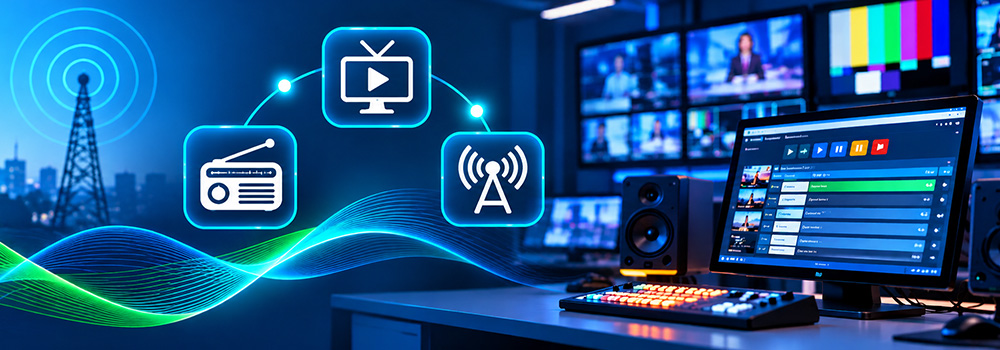
Every broadcaster shares one goal: put the right content on air at the right time, every time. Commercials, music, programs, promos, and live mentions all depend on precise execution. When that execution relies heavily on people pressing buttons at exact moments, the operation becomes harder to sustain, especially for stations that run around the clock.
This is where broadcast playout automation comes in. In radio and TV broadcasting, playout is the stage where scheduled content is actually delivered on air. Automating that stage helps stations carry out their schedule consistently, reduce repetitive manual steps, and give operators more room to focus on the quality of the broadcast.
In this guide, we explain what broadcast playout automation is, how it connects to traffic scheduling, which features matter most for radio and TV, and how EBIMS supports playout-focused workflows for modern broadcasters.
What Is Broadcast Playout Automation?
Broadcast playout automation is the use of software to play scheduled content on air with minimal manual intervention. Instead of an operator launching every item by hand, the playout system follows the prepared schedule and plays each element in sequence.
A typical radio or TV broadcast can include:
- Music and program content
- Commercials and sponsorship messages
- Promos and station identifiers
- Live presenter mentions
- Live sources during live programming
It is important to separate two ideas. Scheduling is the planning stage, where traffic teams decide what airs and when. Playout is the execution stage, where the studio system delivers that plan on air. Playout automation focuses on the second stage. In EBIMS, your team prepares and manages schedules and playlists, and the studio tools carry out playback based on that prepared information.
Why Playout Matters in Radio and TV Broadcasting
A schedule only creates value when it is executed correctly. Even a well-planned log can run into trouble if the playout stage depends on manual handling for every item.
Consistency. Automated playback follows the prepared sequence, which supports consistent on-air execution from one hour to the next.
Continuity. Stations that broadcast 24/7 need a dependable way to keep content flowing during overnight hours, shift changes, and busy periods.
Accuracy for advertisers. Commercials and sponsorships are purchased for specific placements. Reliable playout supports the commitments made to advertisers.
Operator focus. When routine playback is handled by the system, operators can concentrate on monitoring, live content, and audio quality.
How Playout Connects to Traffic Scheduling
Playout automation works best when it is closely tied to the traffic and scheduling workflow. If the schedule lives in one place and the studio works from another, someone has to bridge the gap manually.
EBIMS addresses this by bringing traffic scheduling and playout integration into one cloud-based platform. Traffic schedules are synchronized with studio playout systems, so the content your traffic team prepares is the same content the studio uses on air. Teams can schedule commercials, sponsorships, promos, and advertisements, and manage daily traffic logs for both radio and TV.
This connection helps prevent missed spots and duplicate scheduling, and it supports accurate on-air execution. EBIMS also maintains logs of Scheduled, Unscheduled, Suppressed, and Aired items, with Aired and Non-Aired information available for download in PDF format.
Key Playout Features for Radio Stations
Radio operations run on fast transitions, live voices, and constant content flow. The EBIMS Radio Studio is built around those needs.
AutoPlay Mode
AutoPlay is the core of automated radio playout in EBIMS. It plays scheduled playlists, commercials, and Live Presenter Mentions (LPMs) automatically, with no manual intervention required, which supports seamless 24/7 broadcasting. After successful playback, content is marked as aired automatically, giving teams a dependable record of what ran.
Program Playlist Management
Broadcasters can organize and manage program content in playlists and prepare content in advance for scheduled broadcasts. Advance preparation improves consistency and reduces the possibility of missing scheduled items.
Audio Preview and Playback
Operators can preview available audio before it plays. This helps verify the right media before it goes on air and reduces the chance of selecting incorrect content.
Seamless Presenter Switching
Shift changes are a common moment of risk in radio. With the Change User feature, a new presenter can authenticate with their own credentials without restarting the application. Live broadcasting continues without interruption, shutdown, or login delays.
Activity and Block Recording
Presenters and operators can record individual activities and broadcast blocks directly from the studio with simple one-click control. These recordings support review, archiving, compliance, and future reference.
Station Switching
Organizations that manage several stations can switch between configured radio stations quickly, which supports efficient access to the right station workflow.
Key Playout Features for TV Stations
Television playout brings added complexity, including live sources, video presentation, and the need for backup options. The EBIMS TV Studio is designed with those needs in mind.
Scheduled Playback and Live Source Support
Operators can switch between scheduled playback and live sources, which is essential for stations that mix pre-planned programming with live broadcasting. Live Program Monitoring shows the currently running live content along with its duration and start time.
Failover and Broadcast Continuity
The TV Studio lets teams configure Failover Media, which is backup media for situations when the primary content or source is unavailable. This supports Broadcast Continuity by providing alternative media sources to keep programming moving.
Integrated Recording Control
Operators can start and monitor recording from the TV broadcasting interface. A clear recording status indicator shows when recording is active, and recorded content is available in a dedicated recordings section.
Video and Picture Controls
Real-time controls for volume, brightness, contrast, hue, and saturation give operators control over key audio and video presentation settings during broadcasting.
User and System Controls
Change User, Screen Lock and Unlock, Station Configuration, System Synchronization, and Logged-in User Visibility help teams manage the broadcast environment with clarity.
Synchronization: Keeping Playout Current
A playout system is only as useful as the information it is working from. If a schedule change is made but the studio is not updated, the wrong content may be planned for air.
Both the Radio Studio and the TV Studio in EBIMS include Automatic Synchronization, which keeps the latest scheduling information available to operators and reduces the manual effort needed to keep broadcast data updated. The Radio Studio adds two more controls:
- Sync Forcefully: Lets operators manually synchronize the latest broadcast information when an immediate update is needed.
- Last Synced Information: Displays the most recent synchronization time, so operators can see how current their data is.
Operational Control During Live Broadcasts
Automation does not remove the need for control. It shifts operator attention toward supervision. Several EBIMS features support that role:
- Screen Lock and Unlock: Helps prevent unintended changes during broadcast operations by managing operator interaction with the application.
- Rundown and Schedule Management: Gives operators a clear view of scheduled items, upcoming content, and broadcast sequences.
- Logged-in User Visibility: Clearly shows which operator is currently signed in.
Together, these tools give teams a structured way to monitor playout while the system handles routine playback.
Benefits of Broadcast Playout Automation for Stations and Networks
When playout is connected to scheduling and managed in one platform, broadcasters can expect several operational advantages:
- Reliable execution of the schedule, supported by synchronization between traffic and studio systems.
- Clear records of airing, since content is marked as aired after successful playback in the Radio Studio.
- Smoother shift changes, thanks to instant presenter switching.
- Better continuity, with failover media available in the TV Studio.
- Centralized control across stations, through multi-station management for radio stations and TV channels with a centralized operations dashboard and group-level reporting.
- Useful business visibility, with real-time dashboards for revenue by station, invoices, work order growth, and spots ordered per station.
What to Look for in a Playout Automation Platform
When evaluating radio or TV playout software, consider these questions:
- Does the platform connect traffic scheduling to studio playout?
- Can it support both radio and TV workflows?
- Does it keep schedules synchronized, and show when the last sync occurred?
- Can operators preview content, switch users, and lock the screen during broadcasts?
- Are recording and failover options available?
- Can it manage multiple stations from one environment?
- Does it include reporting, CRM, and invoicing so business and operations data stay connected?
A platform that answers yes to most of these points can support both daily operations and long-term growth.
Final Thoughts
Broadcast playout automation changes how radio and TV stations carry out their daily operations. By connecting traffic scheduling with studio playout, keeping data synchronized, and giving operators strong control tools, broadcasters can deliver their programs and advertising commitments with greater consistency.
EBIMS brings scheduling, playlists, Radio Studio and TV Studio, recording, failover, multi-station control, and reporting into one cloud-based platform built for radio and TV broadcasting. If your station is ready to strengthen its playout workflow, explore EBIMS at ebims.com and see how it fits your operation.
Frequently Asked Questions
What is broadcast playout automation?
Broadcast playout automation is the use of software to play scheduled content on air with little manual effort. It handles the execution of items such as music, commercials, and presenter mentions according to a prepared schedule.
What is the difference between scheduling and playout?
Scheduling is the planning of what content airs and when. Playout is the delivery of that content on air. In EBIMS, traffic teams manage schedules and playlists, while studio systems handle playback and synchronization.
How does AutoPlay work in a radio station?
In the EBIMS, AutoPlay plays scheduled playlists, commercials, and Live Presenter Mentions automatically, and marks content as aired once playback succeeds.
Can a playout system support live programming?
Yes. The EBIMS TV Studio lets operators switch between scheduled playback and live sources and monitor the running live program, including its start time and duration.
What happens if a TV source is unavailable?
Teams can configure Failover Media in the TV Studio. This backup media helps maintain continuous programming when the primary content or source is unavailable.
How do operators know their data is up to date?
EBIMS includes Automatic Synchronization in both studios. The Radio Studio also offers a Sync Forcefully option and shows the last synced time.
Can one platform manage multiple radio stations and TV channels?
Yes. EBIMS supports multi-station management for radio stations and TV channels, with a centralized operations dashboard and group-level reporting and control.
Can I download proof of what aired?
EBIMS maintains logs of Scheduled, Unscheduled, Suppressed, and Aired items. Aired and Non-Aired information can be downloaded in PDF.